

Detailed report
Reports → Detailed shows every request individually. Filter by period, requester, organization, leave type and more. Fill in the required fields and click Search.
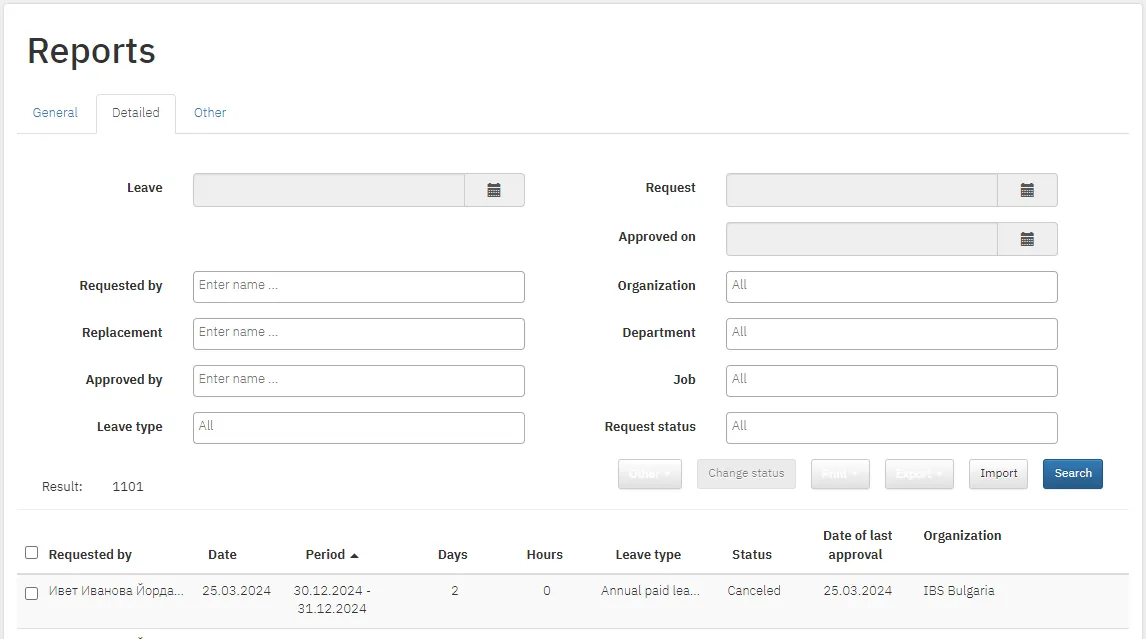
Actions on the results
Section titled “Actions on the results”| Button | What it does |
|---|---|
| Other | Choose columns. Download the attachments of the selected requests, and the signed XML/PDF files if you use QES signing |
| Change status | Change the status of the selected requests |
| Print all leave orders, all leave requests, the selected orders or the selected requests. Select requests with the checkbox on the right | |
| Export to Excel | An Excel report with the columns you choose. View All covers the whole period, View By Months a chosen month. A request running into the next month is split |
| Import | Import requests from Excel. Download the sample file and fill in all required fields marked in red |
Actions on a single request
Section titled “Actions on a single request”At the end of each row:
- the info icon: full details and how far approval has progressed;
- the pencil: edit the period and leave type. Change the period first, then the number of days used, and finally the type if needed. Save with Save;
- the printer: edit or print the leave order, the request or the cancellation order;
- the paper clip: shows that a document is attached.
