

Your team
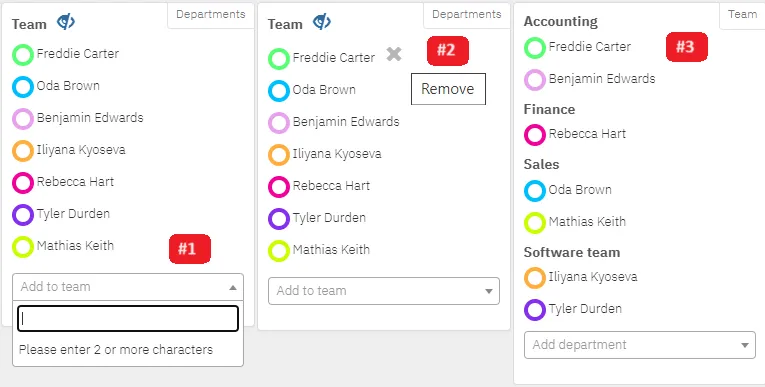
In the Team panel you add colleagues whose absences you want to see in your calendar, from your own or another department. Each colleague gets their own colour.
| Action | How |
|---|---|
| Add a colleague | Type a name in Add to Team and pick from the list |
| Remove | Click the x next to the name |
| A whole department | Click Departments to add or remove a department at once |
| Change colour | Click the coloured circle next to the name |
| Only my leave | Hide your team’s absences with the button above the names |
| Show one colleague | Click their name |
Your administrator decides whether the panel is visible and who you can add.