

Approving and rejecting requests
Requests waiting for your decision are in Current requests → For me. Each shows the period and number of days.
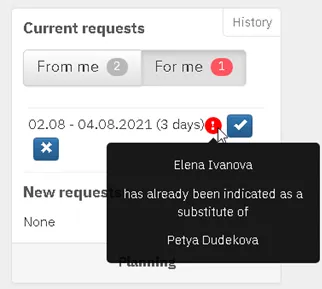
- Approve: click the check mark button (✓) next to the request.
- Reject: click the cross button (✕) and enter a reason. The reason is required and the employee sees it.
If the chosen substitute is already substituting for someone else in the same period, the system warns you.
You can also approve in the mobile app, on the Requests for me screen.