

The main screen
After logging in you see the Calendar: a yearly view of your absences and those of your team. On your first login, a short wizard walks you through the screen. Start it again from the question mark next to your name.
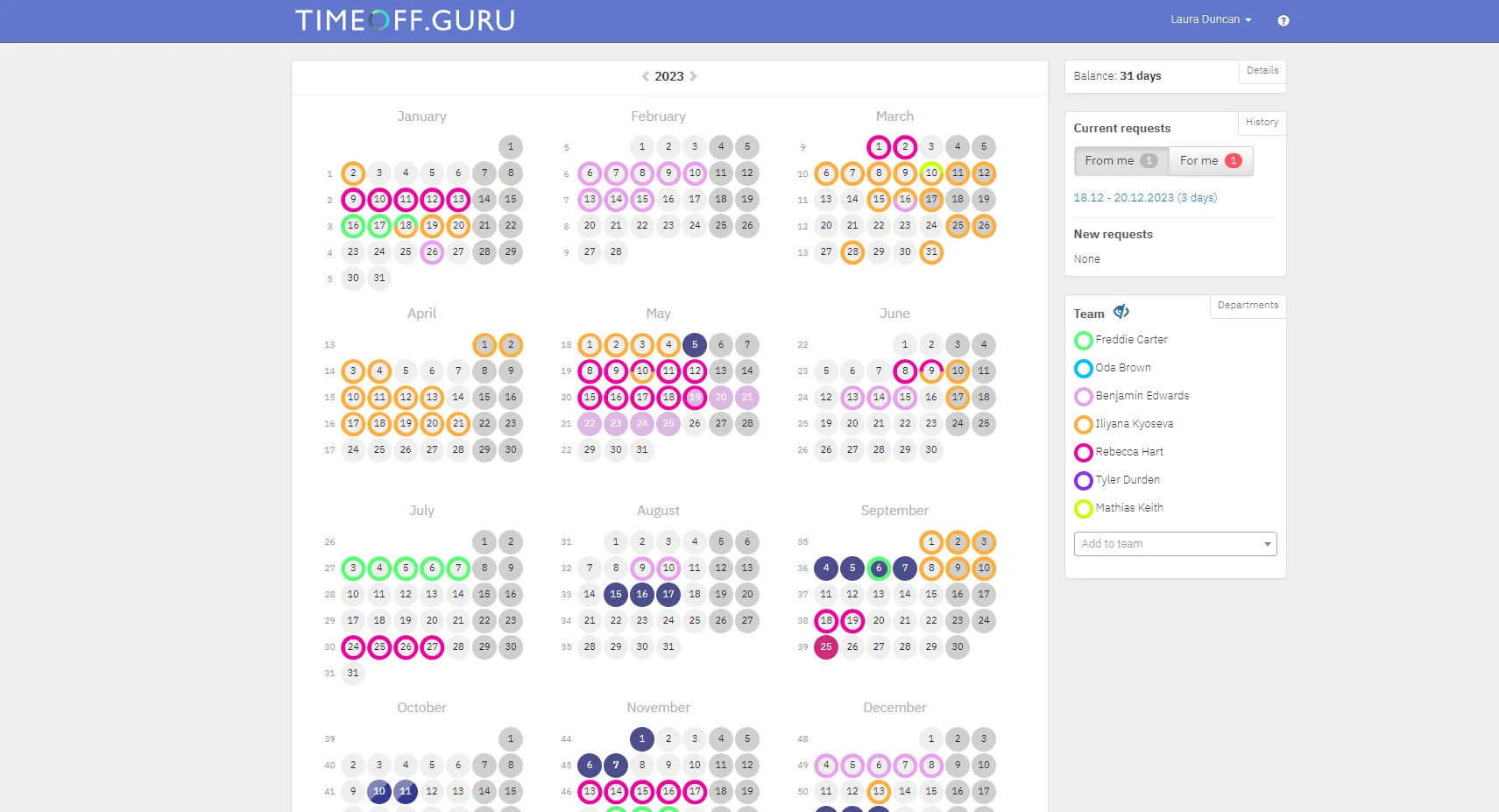
The calendar
Section titled “The calendar”- Days filled with colour are your requests. Sick leave is usually shown in a different colour.
- Days with a coloured ring are absences of colleagues in your team. Each colleague has their own colour.
- Hover over a day to see who is absent, the type of leave and who is substituting.
- The arrows next to the year switch to the previous or next year.
- The legend below the calendar shows the colour of each leave type.
The panels on the right
Section titled “The panels on the right”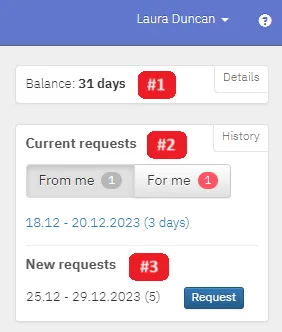
- Balance: your remaining days and hours of paid leave. Details shows all leave types across the years.
- Current requests: requests waiting for approval or not yet taken. From me are yours, For me are the ones you approve.
- New request: days you have selected in the calendar but not requested yet.
The menu under your name
Section titled “The menu under your name”In the top right corner, under your name:
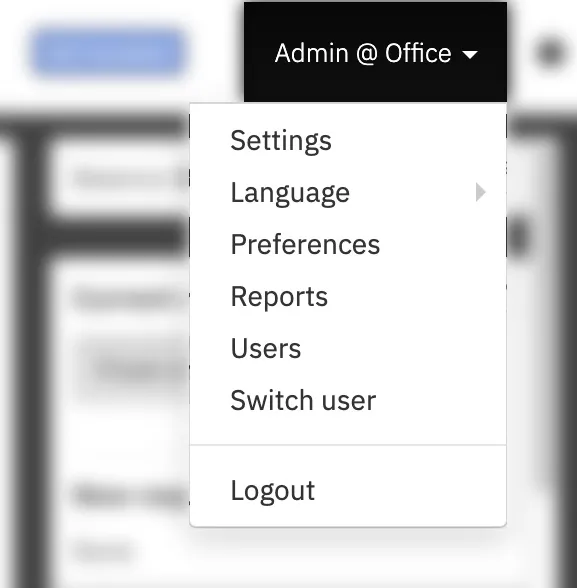
- Language: if your organization has enabled more than one;
- Preferences: your personal settings, see Preferences;
- Logout.
Managers and administrators also see Switch user, Reports, Users and Settings, depending on their rights.