
Online leave requests
Online leave requests: from the request to the signed order
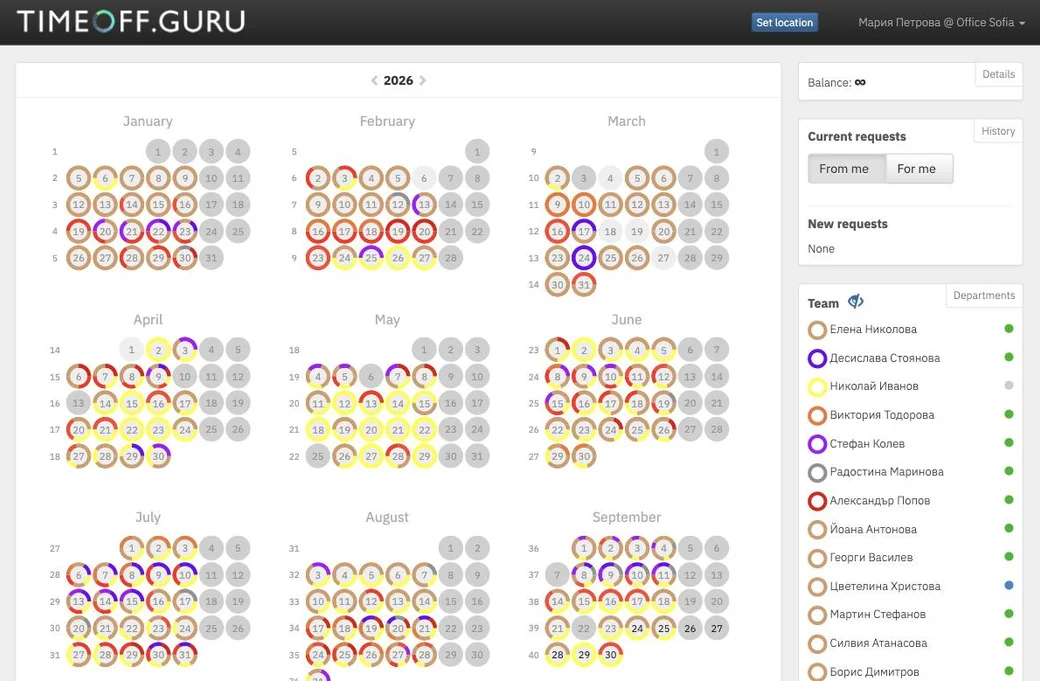
The employee submits the request from the calendar, the manager approves in one click, and the leave order is generated and signed electronically.
What is an online leave request?
An online leave request replaces the paper leave form. The employee submits it in the system, which sends it to the right people for approval and generates the leave order from the same data. Nobody prints, carries papers for signature or scans.
- 1
A request in a few clicks
Leave is requested straight from the calendar.
- Select the days in the calendar and press Request.
- For a single day you can choose half a day or specific hours.
- Choose the leave type and a substitute.
- Notify up to 5 colleagues that you will be away.
- The same works from the mobile app.
- 2
Approval in your own order
The request goes through exactly the people it should.
- Arrange the approval steps and who is notified at each one.
- The approver presses one button; when declining, a reason is required and the employee sees it.
- If the approver is away, the request goes to their substitute.
- A reminder to approvers a few days before the absence.
- 3
A leave order without a printer
The documents are generated from the data in the request.
- Templates for the request and the order that you edit yourself.
- Orders are signed remotely with a qualified electronic signature, together with Borica.
- Employees can print the request and the order if you allow it.
- The signed XML and PDF files are downloaded from the reports.
- 4
Changes and cancellations
Plans change, and the system allows for it.
- Employees cancel their request and the days return to the balance.
- Cancelling leave that is already approved, if you allow it, with confirmation from a chosen role.
- HR edits the period and type of a request from the reports.
Frequently asked questions
All questions →How is a leave order signed electronically?
With the qualified electronic signature of the head of the organisation or a person they authorise. Signing is done remotely and is provided together with Borica.
Can leave be requested for a few hours?
Yes, for the leave types where the administrator has allowed part-day requests.
What happens if the approving manager is on leave?
If redirection is turned on, requests go to their substitute instead of waiting for them to return.
Can an employee print their request and leave order?
Yes, if the administrator has allowed it: the request from Current requests and the order from History.
Retire the leave spreadsheet this week.
14 days free, full access, no credit card. Or let us show you around in 20 minutes.
or book a demo →